
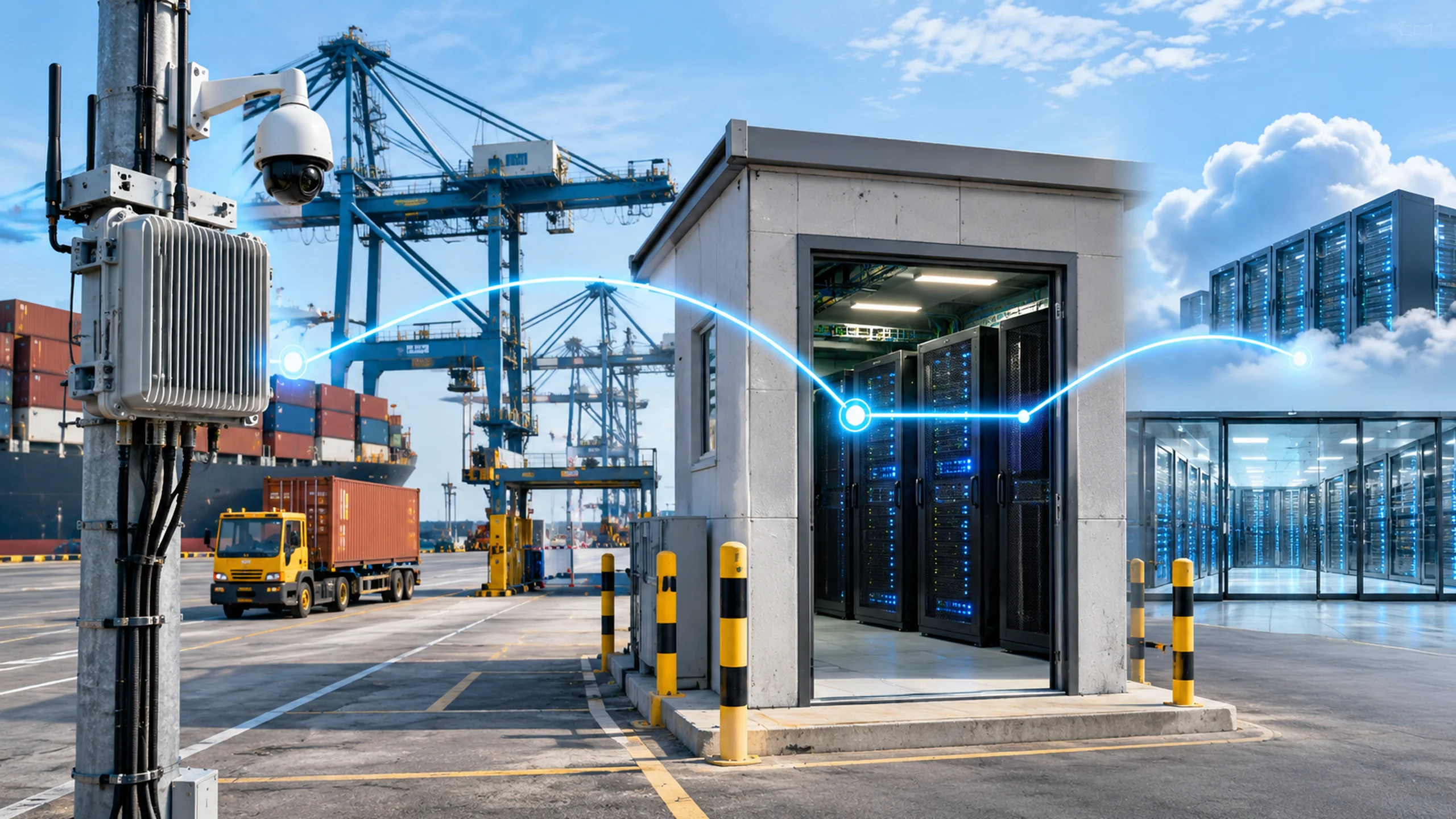
Edge, Cloud, and Server Deployment for Port & Terminal Operations
Deployment architecture determines where operational data is processed, where applications run, and which team is responsible for keeping each component available. In a port or container terminal, those decisions affect systems that support gate processing, container identification, yard visibility, equipment condition monitoring, crane operations, and coordination across shifts. The right arrangement depends on response time, network coverage, data-handling requirements, integration boundaries, and the terminal’s capacity to maintain infrastructure.
Contact PortOps AIA practical design rarely comes down to choosing one location for every workload. Field-edge devices can handle time-sensitive processing close to cameras, readers, and equipment. On-site servers can host applications and data services that must remain within the terminal’s operational network. Private hosting and cloud services can support workloads that benefit from centralized access, elastic capacity, or cross-site analysis. A hybrid design assigns each function to the location that best fits its operating requirements.
Why deployment location matters in a terminal
Port environments combine geographically distributed equipment with systems that coordinate activity across a facility. A gate lane may need to capture a truck or container event while a yard operation is in progress. A quay crane, rubber-tired gantry (RTG) crane, rail-mounted gantry (RMG) crane, terminal tractor, or automated guided vehicle may produce status, location, or condition data from a different network zone. Video streams, optical character recognition (OCR), radio-frequency identification (RFID) reads, equipment telemetry, and operator-entered events can have different bandwidth, timing, and retention needs.
Sending every raw observation to a remote service can increase network use and make time-sensitive functions dependent on wide-area connectivity. Keeping every application on local equipment, however, can increase the terminal’s responsibility for server capacity, patching, backups, disaster recovery, and specialist support. Deployment planning should therefore start with the workflow and its failure consequences, not with a preferred hosting product.
Understand the deployment options
The terms edge, on-site server, private hosting, and cloud describe different deployment locations and operating models. They are not interchangeable, and a design may combine them.
| Deployment option | Where processing runs | Typical port and terminal role | Main considerations |
|---|---|---|---|
| Field-edge processing | On or near the operational area, such as a gate, quay, yard zone, or equipment enclosure. | Local processing of camera feeds, OCR, sensor signals, RFID events, equipment telemetry, or short-cycle alerts. | Response time, ruggedization, power, heat, physical access, local storage, device management, and network coverage. |
| On-site server | Within a terminal-controlled server room or industrial data center. | Host terminal applications, event services, local databases, integration middleware, and services that need to remain on the site network. | Redundancy, cooling, UPS, backup, patching, monitoring, access control, and recovery responsibility. |
| Private hosting | In a dedicated or logically isolated environment operated by the organization or a hosting provider. | Run selected applications or data services where centralized administration or a defined hosting boundary is required. | Provider responsibilities, connectivity, data location, service levels, access model, export options, and recurring fees. |
| Cloud services | In a provider-operated cloud environment accessed over network connections. | Support centralized analytics, long-term storage, cross-site reporting, development environments, or workloads with variable capacity. | WAN dependency, data transfer, recurring consumption, identity management, retention, recovery, and provider dependency. |
Compare deployment choices against operational needs
The matrix below is a planning aid, not a universal ranking. Actual suitability depends on the terminal’s network design, workload profile, service agreements, data policy, and available support.
| Decision factor | Field edge | On-site server | Private hosting | Cloud services |
|---|---|---|---|---|
| Connectivity | Can process selected inputs locally; upstream links still matter for sharing and central management. | Can serve local users and systems over the site network; remote access needs a controlled path. | Depends on reliable links between the terminal and hosting location. | Depends on WAN availability for remote services and data exchange. |
| Response needs | Suitable for workloads requiring processing close to a camera, reader, or equipment source. | Can support site-level applications and data services with local network access. | Response depends on the network path and hosting location. | Response depends on WAN latency, provider region, and workload design. |
| Data handling | Can filter or retain selected observations near collection points. | Can keep operational records within terminal-controlled infrastructure. | Can provide a defined hosting boundary, subject to contract and configuration. | Offers centralized services; data location, retention, and access must be configured and reviewed. |
| Maintenance | Requires distributed device inventory, updates, physical access, and field replacement planning. | Requires server, operating system, storage, backup, cooling, and facilities support. | Responsibilities are shared and must be explicit in the hosting agreement. | Provider manages underlying services; the customer still manages configuration, identities, data, and applications. |
| Expansion | Add capacity by operational zone or device group, subject to hardware and network limits. | Expansion may require procurement, rack space, power, cooling, and planned installation. | Can expand within the provider’s available service and contract model. | Capacity can often be adjusted, with configuration and consumption controls. |
| Cost categories | Edge hardware, enclosure, power, installation, connectivity, lifecycle replacement, and support. | Servers, storage, rack space, UPS, cooling, licenses, backups, staffing, and refresh cycles. | Hosting, connectivity, managed services, support tiers, data transfer, and contract commitments. | Compute, storage, networking, data transfer, licensing, monitoring, backup, and support consumption. |
Use a hybrid design where workloads have different needs
A hybrid architecture separates local operational functions from services that can run centrally. For example, a gate-side edge computer may process camera frames and create candidate container or vehicle observations. A local service can validate event structure, associate observations with a lane and timestamp, and buffer records for delivery. An on-site application service can coordinate those events with terminal workflows and approved enterprise interfaces. A cloud or private-hosted environment may then support longer-term analysis, cross-terminal reporting, or selected backup and recovery functions.
This pattern is illustrative. It does not imply that a specific PortOps AI connector, hardware device, cloud provider, or terminal operating system integration is already available or tested. Confirm interface support, data ownership, security boundaries, and operating responsibilities during technical discovery.
A useful workload allocation asks four questions: what must happen locally, what can wait for synchronization, what information must be retained centrally, and which functions should be unavailable rather than operate on stale or incomplete data. The answers should be recorded for each application, not assumed for the entire terminal.
Plan for network interruptions and degraded operation
Connectivity loss should be treated as a normal design condition to test, not an exceptional event to leave undefined. A terminal may experience a fiber cut, wireless coverage gap, switch failure, provider outage, planned maintenance window, or loss of a remote service. The design should state which functions continue, which queue data for later delivery, which operate with reduced capability, and which stop until a valid connection or trusted state is restored.
| Function | Possible local behavior during an outage | Recovery requirement |
|---|---|---|
| Camera and sensor acquisition | Continue capture where local power, storage, and device links remain available. | Preserve timestamps and source identity; flag gaps, dropped frames, and device-health issues. |
| Local event processing | Continue selected filtering, identification, and event creation at the edge or on-site. | Queue records with unique event IDs and delivery status; prevent duplicate processing after reconnection. |
| Terminal-wide coordination | Continue only the functions supported by local applications and local data dependencies. | Define which workflows can proceed, which require operator review, and which must pause. |
| Remote analytics and reporting | May be delayed or unavailable if dependent on cloud or private-hosted services. | Resume synchronization, reconcile late data, and identify incomplete reporting periods. |
| Physical equipment commands | Follow the equipment’s approved local control and fallback procedures; do not assume remote AI commands remain available. | Require authorization, state validation, and independent confirmation before resuming remote command paths. |
Buffering is useful only when storage capacity, retention limits, event ordering, and retry behavior are defined. Use unique event identifiers and idempotent processing so that a retransmitted event does not create a second business transaction. Preserve both event time and ingestion time, record time zone conventions, and flag delayed or out-of-order messages. When a buffer approaches capacity, define whether the system raises an alert, reduces nonessential capture, or stops accepting new records.

Selection example: gate and yard event processing
Consider a hypothetical container terminal that wants to improve the completeness and timeliness of truck and container events at an entry gate and selected yard transfer points. Cameras, RFID readers, and lane sensors provide observations. The terminal’s operating workflow uses those observations alongside container, visit, and movement records. The following arrangement is a starting design for evaluation, not a claim about an existing deployment.
- Place edge processing near the gate cameras and readers to filter inputs, perform time-sensitive image or signal processing where supported, and create candidate events with source, timestamp, lane, and quality information.
- Use an on-site service to validate event structure, associate events with approved terminal identifiers, manage local queues, and expose a controlled interface to the terminal’s operational applications.
- Send selected normalized events and approved aggregates to private hosting or cloud services for longer-term analysis, reporting, or cross-site views when policy and connectivity allow.
- During a WAN interruption, continue only those gate and yard workflows that have been designed and approved to operate locally. Queue outbound events, display a clear degraded-connectivity status, and require manual review where required data is unavailable.
- After reconnection, replay queued events in a controlled way, reconcile late or conflicting records, and verify that downstream systems received each event once.
Before selecting this arrangement, confirm camera and reader coverage, local compute capacity, expected event volume, retention duration, network segmentation, terminal-system interfaces, operator procedures, and the consequences of missing or delayed events. Define measurable acceptance criteria such as event completeness, duplicate rate, reconciliation time, local processing delay, buffer recovery time, and support effort.
Compare total operating responsibility, not just hosting fees
A deployment estimate should cover the full operating lifecycle. A low monthly hosting price may not include integration work, data transfer, backup retention, after-hours support, field maintenance, or recovery testing. Likewise, on-site infrastructure carries costs beyond server purchase, including rack space, power, cooling, replacement parts, security, and staff time.
- Hardware and installation: edge computers, gateways, servers, storage, network equipment, enclosures, cabling, mounting, and commissioning.
- Connectivity and facilities: fiber or wireless links, network redundancy, UPS capacity, cooling, environmental protection, and physical security.
- Software and services: operating systems, application licenses, monitoring, backup, identity services, data transfer, and managed hosting.
- People and support: IT and operational technology (OT) administration, cybersecurity review, vendor support, field maintenance, training, and escalation coverage.
- Lifecycle and exit: patching, upgrades, hardware refresh, backup restoration tests, data export, migration, contract termination, and secure decommissioning.
Reliability, security, and operational ownership
Separate enterprise IT services from operational technology networks according to the terminal’s approved architecture. Define permitted communication paths between field devices, edge systems, industrial server zones, enterprise applications, and external services. Use least-privilege accounts, controlled remote access, asset inventories, logging, time synchronization, and documented change procedures. Security controls should be reviewed against the actual equipment and operating environment rather than copied from a generic cloud checklist.
Assign an owner for each layer: field device and edge hardware, network transport, on-site infrastructure, hosted services, application software, data interfaces, backups, and incident response. Document who approves updates, who monitors capacity, who responds to an alert, and who can authorize restoration or rollback. Test backup restoration and outage recovery, not only backup creation. Confirm data export formats and access to operational records before entering a long-term hosting arrangement.
For systems that can influence physical equipment, keep supervisory analytics and business workflows separate from validated low-level equipment control and independent protective functions. A cloud connection or AI service should not become an assumed safety dependency. Define command authorization, local fallback, timeout handling, manual override, and independent outcome verification through the relevant engineering and operations owners.
Deployment planning checklist
- List the workflows, assets, users, and facilities in scope, including gates, quay cranes, yard cranes, terminal tractors, automated vehicles, and equipment monitoring points where relevant.
- Classify each workload by response time, bandwidth, availability, data sensitivity, retention, and tolerance for delayed processing.
- Map the current network zones, field connections, server locations, external links, and approved paths to enterprise systems.
- Choose which functions run at the field edge, on-site, in private hosting, or in cloud services, and document why.
- Define local behavior for link loss, server failure, full buffers, stale observations, delayed events, and restoration.
- Specify event identifiers, timestamps, units, quality flags, synchronization rules, retry behavior, and duplicate handling.
- Assign responsibility for security, monitoring, patching, backups, restoration, support, data export, and lifecycle replacement.
- Validate the design with representative workloads and controlled outage tests before expanding to additional operational areas.
Frequently asked questions
Does every port application need cloud connectivity?
No. Some functions may need local processing or local application availability, while other workloads can use remote services. The design should identify which functions depend on external connectivity and what happens when that connection is unavailable.
Is an on-site server the same as edge computing?
No. Edge processing takes place close to the data source or operational activity, often in a field enclosure or local equipment room. An on-site server generally provides shared compute, storage, or application services for a wider part of the terminal.
Can cloud services support time-sensitive crane or yard operations?
That depends on the required response time, network path, control architecture, and failure consequences. Workloads that must continue through a WAN interruption should not depend solely on a remote service. Any physical control path requires separate engineering validation and approved safeguards.
How should a terminal compare deployment costs?
Compare lifecycle cost categories, including hardware, installation, connectivity, hosting, licenses, data transfer, power, cooling, maintenance, support, backups, training, and eventual migration. Use site-specific assumptions rather than generic price estimates.
Related resources
Next step: Discuss a deployment architecture for your terminal based on its operational workflows, existing systems, connectivity, and support model.
Contact PortOps AI